


Wallpics - Live Wallpapers 4K
4.8248.00 Reviews
App Specs
- Version
- 1.0.94
- Updated On
- License
- Free
- Downloads
- 1,000,000+
- Developer
- Gamentica
- Categories
- Personalization
- Platform
- Android
Screenshots
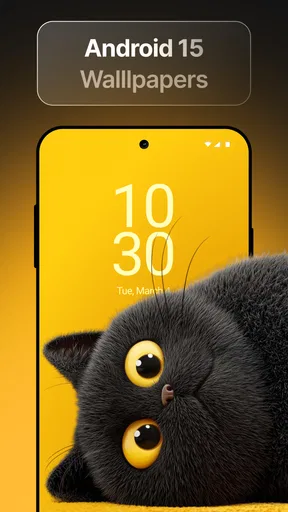
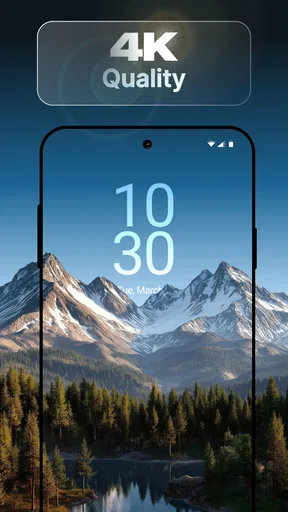
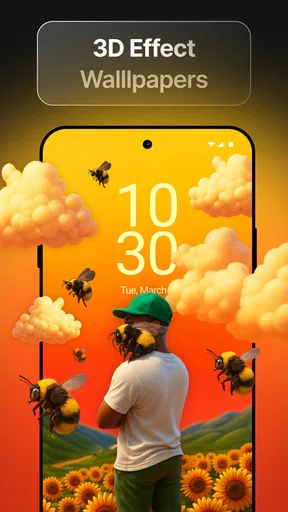
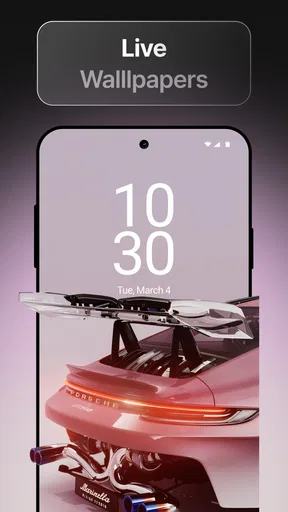
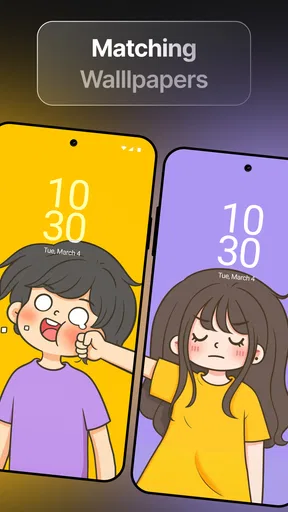
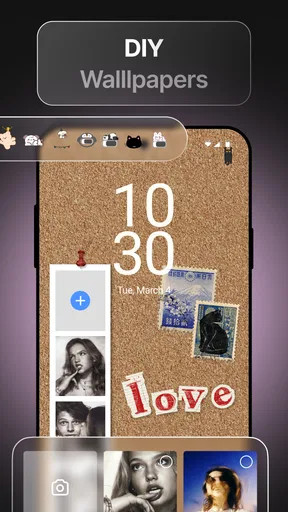
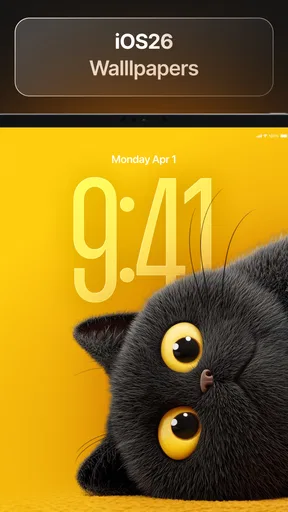
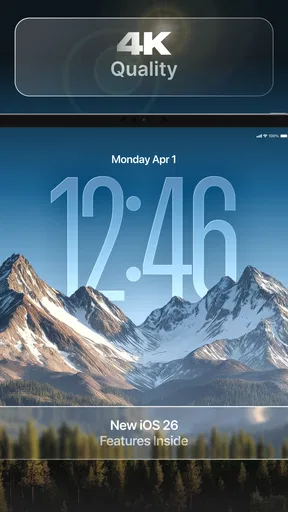
 Analysis by AppCompare
I judge a wallpaper app less by how many images it can show me and more by whether changing my screen feels worthwhile after the first day. Wallpics - Live Wallpapers 4K is built around that small, everyday pleasure: giving a familiar phone a different mood through still and moving backgrounds. I’d consider it when I want a quick visual refresh without turning customization into a complicated project.
A background that moves, not just decorates
The capability I find most distinctive is the live wallpaper option. A static image changes the color and character of a screen; motion adds a little atmosphere whenever I glance at it or unlock the phone. That can make a waterfall or another gently animated scene feel more immersive than a picture, though it’s a subtle effect rather than a new way to use the device.
That difference matters because motion is best treated as an accent. A calm animation can make a phone feel less generic without competing with the icons and text on the screen. A highly detailed or busy image, on the other hand, may look impressive in a preview but become distracting once it sits behind everyday app shortcuts. I’d choose for readability as much as for visual impact.
From browsing to a usable home screen
When I want to change the look, the useful workflow is simple: browse the categories, compare a few options, and apply one that suits the screen rather than choosing the most dramatic preview. Wallpics is a personalization app from Gamentica, and its presentation is approachable enough for someone who rarely adjusts phone settings. The Trending section can help when I don’t have a particular style in mind, while categories make it easier to narrow the search.
I’d also treat the favorites option as more than a convenience. Saving a small shortlist lets me compare backgrounds later, instead of repeatedly searching for an image I liked but didn’t apply. For a practical rotation, I’d keep one calm choice for workdays and another more colorful one for weekends. That makes switching feel intentional rather than like endless browsing.
The app’s 4K-resolution offerings are appealing on a sharp display, where fine detail can give a scene depth. Still, resolution alone doesn’t guarantee a better background: contrast, composition, and how the image sits behind icons matter more. Before settling on a wallpaper, I’d check that the main subject doesn’t land under the clock or make labels hard to read.
Where moving backgrounds earn their place
A realistic use case is the first quiet moment after work. I might unlock my phone while waiting for a ride, see a softly moving scene, and get a small change of pace without opening a separate entertainment app. That’s the strongest case for live wallpaper: it adds a bit of character to a device I already look at often. Someone who enjoys making their phone feel personal may notice that detail more than someone who rarely looks at the home screen.
Worth Reading Before You Choose

Flipboard Shows What News Apps Must Do Beyond the Feed

Switching to Android Auto Means Rethinking Your Driving Routine

Google Calendar Makes a Crowded Week Easier to Manage

Ludo King Makes the Most of the Minutes Between Plans

Baby Panda World Brings Quick Play to Modern Phones, but Its Game Library Feels Busy

ESPN’s Live Game View Makes Following Close Games Easier
For a shared or frequently used phone, I’d lean toward a restrained image that stays legible in different lighting and doesn’t make the screen feel crowded. If I use a phone outdoors, I’d favor strong contrast and a clear subject over subtle shades that disappear in bright conditions. These choices are not special settings; they’re practical ways to get more from whichever background I select.
What to weigh before making it your wallpaper app
I’d weigh how often I genuinely want to change my screen before making Wallpics part of my routine. A wallpaper app is most useful when browsing leads to a background I’ll actually keep, not just a long session of collecting possibilities. With that in mind, the next question is whether its extra visual options feel worth the trade-offs in everyday use.
Customization, with a little restraint
The customization controls let me adjust colors and brightness and add effects. That’s useful when a wallpaper is nearly right but needs to feel less intense or better suited to the rest of the screen. I’d make one change at a time and check the result on the actual home screen; stacking effects just because they’re available can make a background look busy and reduce the clean look I wanted in the first place.
The app also offers charging animations, which give customization another moment to show up beyond the wallpaper itself. I’d see that as a decorative extra rather than a reason to install the app by itself. If I prefer a quiet, consistent interface, I may not want visual animation every time I connect a charger; if I enjoy small flourishes, it can make the phone feel more personal.
Battery, attention, and the free-to-paid line
Live backgrounds have a trade-off: motion can use more battery than a still image. The actual effect can depend on the phone and how I use it, so I wouldn’t assume every animated wallpaper will be a problem. If I’m traveling, away from a charger, or trying to stretch a low battery through the day, switching to a static background is the sensible choice. I’d keep a favorite still image available for that situation.
Wallpics is free to download, with in-app purchases ranging from $1.99 to $8.99 per item. Some content sits behind a payment, so I’d browse the free choices first and decide whether a paid option offers something I genuinely want before spending. The app is rated Teen, has a 4.6 average from around 30,000 ratings, and has passed 1 million installs. Those figures suggest a substantial audience, but my decision would still come down to whether its available styles fit my taste.
Compared with using a single image from a photo gallery or relying only on the phone’s built-in wallpaper picker, a dedicated app gives me a more focused place to browse and experiment with motion and adjustments. The built-in option is still better if I want the simplest route, no extra browsing, or a photo I already own. Wallpics makes more sense when I want discovery and visual variety; it’s not automatically better for someone who values a completely uncluttered setup.
Who will enjoy it, and who may prefer something simpler
I’d recommend it to people who like refreshing their phone’s appearance, want to try animated backgrounds, or enjoy tuning colors until a screen feels like their own. It can also suit anyone who changes their style with the season or mood and wants favorites ready for quick swaps. The app’s current version is 1.0.39, and it runs on Android 8.0 or later, which gives many Android users a straightforward starting point.
I’d skip it if I’m happy with one static background, dislike browsing for visual extras, or prioritize minimizing battery use above screen decoration. It may also frustrate someone who expects every appealing option to be free. In those cases, a personal photo or the phone’s standard wallpaper controls are a cleaner fit than adding another app to the routine.
A quick way to decide
My advice is to start with a static image and a live one that have similar colors, then compare them during normal use rather than judging only by their previews. Check text visibility, notice whether the motion feels calming or distracting, and see if the extra animation is worth keeping through a full day. That small test answers the questions that matter most: whether the screen stays readable, whether the style suits you, and whether motion earns its place.
Wallpics was released on October 14, 2024, and its central appeal is easy to understand: it makes visual changes to a phone simple and offers movement for people who want more than a still picture. I like the idea most when I use it selectively, choosing a background that fits my screen instead of treating every effect as an upgrade. If that sounds like the kind of everyday personalization you enjoy, it’s worth exploring; if you’d rather set one image and forget about it, the built-in option will probably do the job.
As soon as I opened Wallpics - Live Wallpapers 4K, I was greeted with a vibrant and user-friendly interface. The app is super intuitive, making it easy for even the least tech-savvy among us to navigate through its features. The categories are neatly organized, so finding the perfect wallpaper is as easy as pie. I was immediately drawn to the "Trending" section, which showcases the most popular wallpapers at the moment. It’s like having a sneak peek into what everyone else finds cool!
Features That Stand Out
One of the features that truly sets this app apart is its 4K resolution offerings. The clarity and detail in these wallpapers are stunning. Whether you’re a fan of nature scenes, abstract art, or cute animal photos, the quality is consistently top-notch.
Another cool feature is the live wallpaper option. It adds a dynamic touch to your screen, making it feel alive. I tried out a live wallpaper of a gently flowing waterfall, and it’s like having a mini escape every time I unlock my phone.
Customization Options
If you love tweaking things to match your style, you’ll appreciate the customization features here. You can adjust colors, brightness, and even add special effects to make the wallpaper uniquely yours. I spent way too much time playing with these settings, but it was worth it for a truly personalized background.
Ease of Use
Installing and changing wallpapers is a breeze. Just a couple of taps, and voila, your screen is transformed. The app also lets you save your favorite wallpapers, so you can quickly switch back to them whenever the mood strikes.
The Social Element
One unexpected delight was the community feature. You can share your creations and see what other users have cooked up. It’s a great way to get inspired and discover new styles. Plus, interacting with a community of fellow wallpaper enthusiasts adds a fun social element to the app.
Room for Improvement
Of course, no app is perfect. While the free version offers a decent selection of wallpapers, some of the cooler options are locked behind a paywall. It’s not a deal-breaker, but if you’re on a budget, it might be a little frustrating. The ads can also be a bit intrusive at times, but hey, that’s the price we pay for free apps, right?
Another thing to note is that live wallpapers can be a bit of a battery drain. If you’re someone who’s constantly on the go, it might be worth keeping an eye on your battery life.
Final Thoughts
All in all, Wallpics - Live Wallpapers 4K is a fantastic app for anyone looking to spice up their phone’s aesthetic. The variety and quality of wallpapers available are impressive, and the app is easy enough for anyone to use. Whether you’re going for a minimalist look or something more vibrant, this app has got you covered.
So, if you’re ready to give your phone a fresh new look, why not give Wallpics - Live Wallpapers 4K a try? Just be prepared to spend a little extra time choosing that perfect wallpaper – trust me, it’s harder than it sounds!
Pros
- Stunning 4K resolution wallpapers.
- Diverse categories to suit all tastes.
- User-friendly interface design.
- Regular updates with new content.
- Low impact on device performance.
Cons
- Contains ads in free version.
- Limited features without subscription.
- May consume more battery life.
- Occasional lag on older devices.
- Not available offline.
FAQs for Wallpics - Live Wallpapers 4K
What is Wallpics - Live Wallpapers 4K and how does it work?
Wallpics - Live Wallpapers 4K is an app that provides a vast collection of high-definition and 4K live wallpapers for your device. It allows users to personalize their home and lock screens with dynamic and visually stunning backgrounds. The app regularly updates its library, ensuring fresh content is always available.
Is Wallpics - Live Wallpapers 4K compatible with all devices?
Wallpics - Live Wallpapers 4K is designed to be compatible with a wide range of Android and iOS devices. However, some older models or low-spec devices might experience performance issues with high-resolution wallpapers. It's recommended to check the app’s compatibility on the respective app store page before downloading.
Does Wallpics - Live Wallpapers 4K consume a lot of battery life?
Live wallpapers generally use more battery than static ones due to their dynamic nature. Wallpics - Live Wallpapers 4K is optimized for efficiency, but users with concerns about battery consumption should monitor their device's performance and consider adjusting wallpaper settings or opting for static options when needed.
Are there any in-app purchases or subscription fees in Wallpics - Live Wallpapers 4K?
Wallpics - Live Wallpapers 4K offers both free and premium content. While the app can be downloaded for free, it includes optional in-app purchases or subscription plans to access exclusive wallpapers and features. Users can choose to enhance their experience by purchasing these additional options if desired.
How frequently is new content added to Wallpics - Live Wallpapers 4K?
The app is committed to keeping its content fresh by adding new wallpapers regularly. Updates may happen weekly or monthly, depending on the availability of new designs. Users can expect a steady stream of new and exciting wallpapers to keep their device's appearance up-to-date and engaging.


